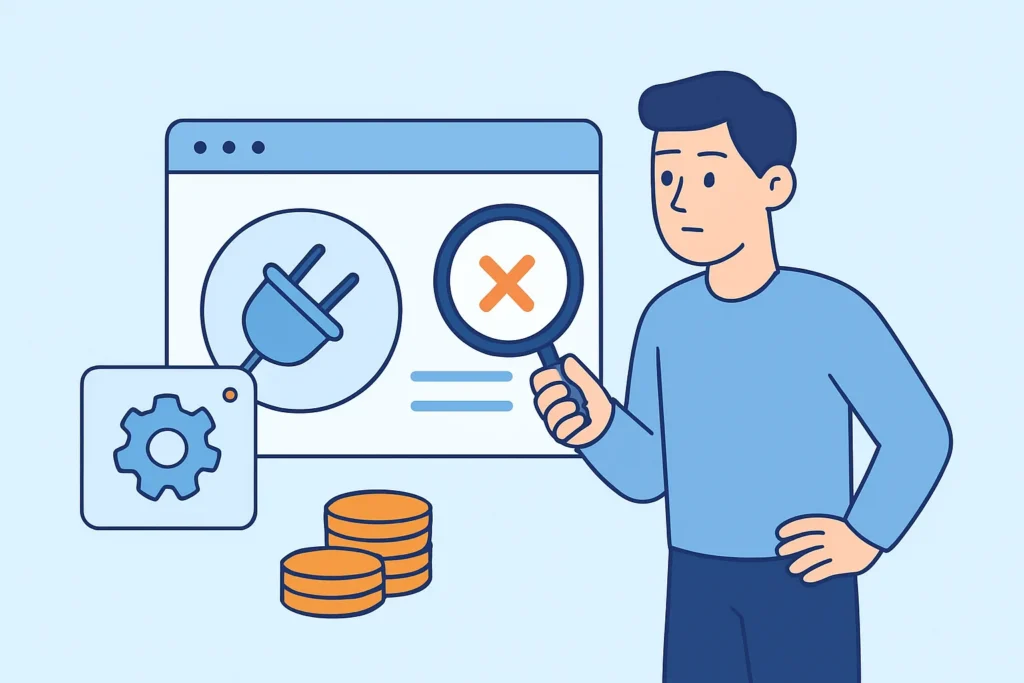
Abandoned plugins sit quietly in the plugin list of a typical WordPress site, often still working, until a vulnerability is published that nobody will ever patch. For site owners, agency developers and anyone managing a handful of WordPress installs, abandoned plugins are among the most predictable risks to plan for. This guide covers how to tell when a plugin has been abandoned, how to measure the risk it carries, and how to replace it without breaking production.
Whether a plugin is abandoned matters more than whether it is old. A five-year-old plugin with an active maintainer can be patched within days, but an abandoned one cannot. Once a flaw in it is disclosed, everyone with an exploit kit can see it, and no fix will ever ship.
Why Unmaintained Code Becomes a Liability
WordPress core, PHP and the browser keep changing, and an abandoned plugin does not change with them. Over 2-3 years that drift turns into deprecated function calls, missing nonce checks that were acceptable in 2018, and AJAX handlers written before current capability checks became standard.
The real danger begins at disclosure. Vulnerability databases such as Wordfence Intelligence, Patchstack and WPScan publish entries for plugins whose authors never respond, and those entries are often marked “no known fix.” Automated scanners used by attackers read the same feeds. Our article on plugin vulnerabilities as the biggest WordPress threat explains why plugins account for most WordPress compromises.
A quieter risk is a change of ownership. In 2017 the Display Widgets plugin was sold to a new owner, who added code that injected spam content into sites. WordPress.org removed it, but only after it had been installed on a very large number of sites. An abandoned plugin with a big install base is an attractive target to buy, and a buyer can get a backdoor into thousands of sites through a single update.
How to Spot Abandoned Plugins on Your Site
An experienced WordPress security auditor does not open each plugin page by hand. The usual first step is to export the plugin inventory and check every entry against the WordPress.org API. With WP-CLI, wp plugin list –fields=name,status,version,update gives a clean list in seconds.
Next, each slug is queried at api.wordpress.org/plugins/info/1.2/?action=plugin_information&request[slug]=SLUG. The response includes last_updated and tested fields. If a plugin has been closed, the API returns an error saying so, and that is the strongest signal available.
These are the warning signs worth flagging:
– The plugin is closed on WordPress.org, whatever reason is shown.
– It has had no release in 24 months or more.
– It shows the directory banner saying it “hasn’t been tested with the latest 3 major releases.”
– Support forum threads have gone unanswered for 6-12 months, especially security reports.
– The vendor’s website or changelog for a premium plugin no longer exists.
A single signal is not proof. A 40-line plugin that adds one shortcode may simply be finished. If you combine “no release in two years” with “unanswered security thread,” though, the plugin is effectively abandoned.
A Practical Scenario: The Contact Form Nobody Owned
Here is a pattern agencies run into all the time. A small manufacturer’s site was built in 2019 using a lightweight contact form plugin and a gallery add-on. The agency that built it moved on. In 2026 a new developer runs an audit and finds both plugins closed on WordPress.org, one of them closed “pending full review,” which often points to a security issue.
The contact form handled file uploads, and its upload handler validated only the file extension. Nobody had noticed, because the form still sent email correctly. Replacing it took about four hours: building an equivalent form in a maintained plugin, moving the email routing rules, testing the spam filters and redirecting the old form’s thank-you URL. That was far cheaper than cleaning up a web shell.
Replacing an Abandoned Plugin Step by Step
The goal is to remove the risk without losing data or functionality, so the order of steps matters.
First, document exactly what the plugin does on this site. Many plugins have 20 features and the site uses two. List the shortcodes, custom post types, database tables (check for its prefix in wp_options and custom tables) and any cron jobs it registers.
Second, pick a replacement using actual criteria: a release within the past 3-6 months, an active support forum, a published vulnerability disclosure policy and a reasonable install base. Do not use cracked copies of premium alternatives. The dangers of nulled themes apply just as much to nulled plugins.
Third, build and test the replacement on staging with a recent copy of the production database. Migrate the data, update shortcodes with a search-replace (wp search-replace ‘[old_shortcode’ ‘[new_shortcode’ –dry-run first), and check every page that used the plugin.
Fourth, deploy, then delete the old plugin rather than only deactivating it. Remove any leftover options and tables once you have confirmed nothing depends on them.
Fifth, scan the site again so you know the new plugin didn’t bring in its own problems, such as missing security headers or exposed endpoints.
The Myth That Deactivation Is Enough
Many site owners believe a deactivated plugin is harmless. It is not. Deactivation stops WordPress from loading the plugin through its hooks, but the PHP files are still in wp-content/plugins and can often be requested directly over HTTP.
Several well-known plugin exploits target standalone PHP files that run without WordPress being loaded at all. Upload handlers, file managers and old TimThumb-style image scripts are typical examples. If the file exists and the web server runs PHP in that directory, the attack surface is still there. Delete what you don’t use.
Common Mistakes When Handling Abandoned Plugins
The most common mistake is waiting for a CVE. Teams treat abandonment as a low priority until a vulnerability is published, and then they have to migrate in a hurry with exploitation already underway. Abandonment is the warning, and a disclosure means the migration is already overdue.
The second mistake is forking without taking ownership. A developer patches the abandoned plugin locally, keeps the same slug, and moves on. The next time someone clicks “update all,” WordPress may install whatever is published under that slug, which could come from a new owner. If you fork, rename the slug and the plugin header, and accept that you now maintain it.
The third mistake is trusting the version number alone. Premium plugins bundled inside themes from marketplaces such as ThemeForest often ship as old copies that are never updated separately. The theme looks current while the bundled slider is three years out of date. This is a classic supply chain risk through dependencies.
Edge Cases Where the Standard Advice Changes
Not every site can just swap a plugin. Regulated sites in healthcare or finance may need a change-approval cycle of 2-4 weeks. In that case, block direct access to the plugin’s directory at the web server or WAF as a temporary control while the replacement goes through approval.
Small teams of 1-3 people managing 30+ client sites should automate detection instead of trying to review everything. A monthly script that queries the WordPress.org API for every site and flags closed plugins takes about an hour to write and catches most cases. Custom plugins written in-house are a different category. They are not abandoned as long as someone on the team still understands the code.
FAQ
How long without updates before a plugin counts as abandoned?
No release in 24 months is a reasonable trigger for review. Together with unanswered support threads or a closure notice on WordPress.org, it means the plugin should be replaced.
Is a closed plugin on WordPress.org always insecure?
No. Plugins are also closed at the author’s request or for guideline violations. Because the reason is often not made public, the safe approach is to treat any closure as a reason to replace the plugin.
Can a security plugin or firewall protect an abandoned plugin?
A WAF can block known exploit patterns and buy you time. It does not fix the underlying code, and rules for unpatched flaws in plugins with few installs may never be written.
Keeping Plugin Risk Under Control
Abandoned plugins are a slow-moving risk, so they are easy to manage if you check for them regularly. Inventory your plugins every quarter, check each one’s maintenance status against the WordPress.org API, and replace closed or stale plugins before a disclosure forces you to. Always delete what you remove instead of deactivating it. A two-hour review each quarter costs far less than a single cleanup after a compromise.