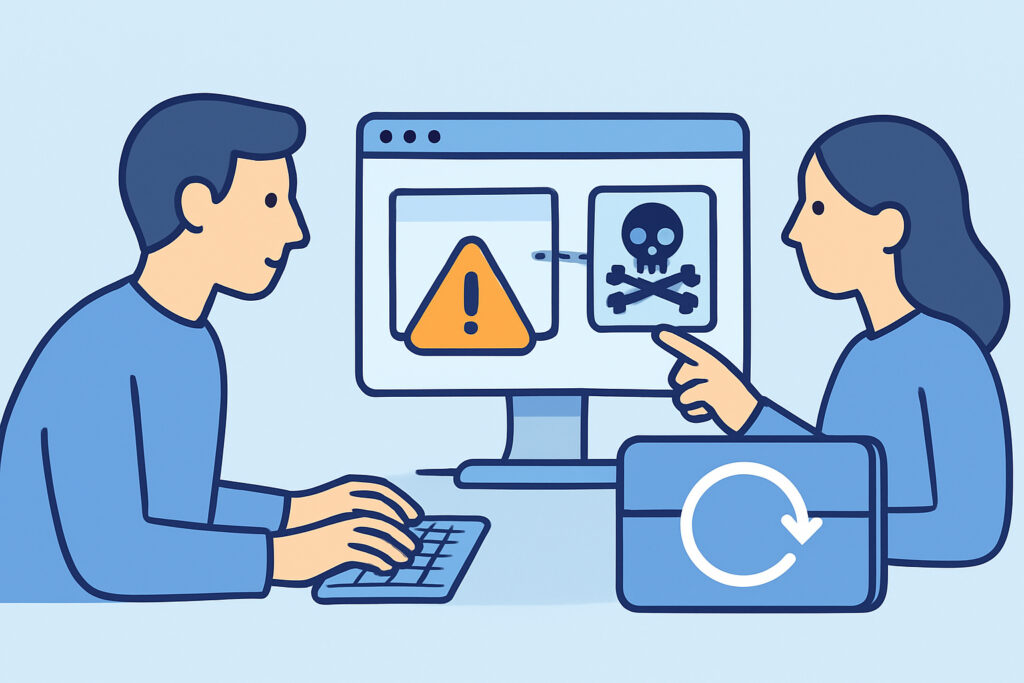
Web cache poisoning happens when an attacker tricks a CDN or reverse proxy into storing a harmful response and then serving it to every visitor who requests the same URL. If your site runs behind Cloudflare, Fastly, Akamai, Varnish or an nginx proxy_cache layer, this article explains how responses get corrupted, how to test for the problem safely, and which configuration changes close the gap.
The attacker never touches your origin server’s files. They send a normal-looking HTTP request, and your own caching layer distributes the result. One request can affect thousands of users for as long as the cache TTL lasts.
How a Cache Decides What Counts as the Same Request
Every cache builds a cache key from selected parts of the request. Usually that means the Host header, the path and the query string. Everything else, such as most headers and cookies, is unkeyed. The cache ignores those parts when it decides whether two requests match.
The trouble starts when the origin application uses an unkeyed input to build the response. If a header like X-Forwarded-Host changes the HTML but isn’t part of the key, the cache can’t tell a poisoned response from a clean one. It stores whatever the first requester triggered and serves it to everyone after them.
James Kettle of PortSwigger showed this at scale in his 2018 research “Practical Web Cache Poisoning”. He followed it in 2020 with “Web Cache Entanglement”, which covered parameter cloaking and fat GET requests. Both papers are still the best technical references on the topic.
A Realistic Web Cache Poisoning Scenario
Take a WordPress site behind Varnish with a 600-second TTL on the homepage. A theme or plugin builds absolute asset URLs from the incoming host. Because the site sits behind a proxy, the code trusts X-Forwarded-Host when the header is present.
The attacker sends one request to the homepage with X-Forwarded-Host: attacker.example. The origin returns HTML in which the script tag now loads /wp-includes/js/jquery.js from attacker.example. Varnish caches it. For the next 10 minutes, every visitor runs the attacker’s JavaScript. That gives the attacker stored XSS without anything being stored in the database.
The attacker then sets up a script that sends the request again just after each expiry. The infection becomes effectively permanent, even though your files, database and malware scans all come back clean. Incident teams often lose hours here because nothing on disk is wrong.
The Myth That Only Large CDN Deployments Are Exposed
People often believe cache poisoning is a CDN-scale problem for big platforms. In practice, small sites are exposed just as often. A $5 VPS running nginx with fastcgi_cache, a managed WordPress host with built-in page caching, or a free-tier Cloudflare setup with “Cache Everything” page rules all have the same basic weakness.
A second myth is that HTTPS prevents it. TLS protects the connection between the browser and the edge. Cache poisoning uses legitimate requests that pass through TLS without any problem.
Steps to Test for Cache Poisoning Safely
An experienced application security engineer first confirms that a cache exists and works out how it behaves. Then they probe for unkeyed inputs. The usual order is:
1. Find cache indicators in responses: Age, X-Cache, CF-Cache-Status, X-Varnish or Via headers. Send the same request twice and watch for a HIT.
2. Add a unique cache buster query parameter, such as ?cb=83721, to every test request, so that only your own private cache entry is affected.
3. Inject candidate headers one at a time: X-Forwarded-Host, X-Forwarded-Scheme, X-Forwarded-Proto, X-Original-URL, X-Rewrite-URL. Check whether any of them is reflected in the body, in a Location header or in link tags.
4. Repeat the request without the header but with the same cache buster. If the reflected value is still there, the response was cached with the poisoned input.
5. Test error behavior: oversized headers, invalid characters and conflicting method-override headers. These show whether the cache stores 400 or 500 responses.
Burp Suite’s Param Miner extension automates step 3. It guesses thousands of header and parameter names and flags the ones that change the response. Step 5 matters because of Cache-Poisoned Denial of Service (CPDoS), described in academic research in 2019. If a malformed header makes the origin return an error and the cache stores that error, the page goes offline for all users until it expires.
Common Mistakes When Handling Cache Poisoning
Testing without a cache buster. This is the most damaging mistake, and testers do make it. A tester confirms the vulnerability on the live homepage and poisons it for real customers for the full TTL. Every probe needs its own unique key.
Relying on Vary as the fix. In theory, adding Vary: X-Forwarded-Host puts the header into the key. In practice, some CDNs only partly honor Vary or ignore it for most content types. Read your CDN’s documentation and confirm the behavior with real requests before you treat the issue as closed.
Purging one layer and calling it done. Many setups stack caches, for example Cloudflare in front of Varnish in front of WordPress page caching. Purging the CDN while Varnish still holds the poisoned object means the CDN fetches it again within seconds. Purge from the innermost layer outward.
Ignoring parsing discrepancies. When the cache and the origin parse requests differently, you get both parameter cloaking and request smuggling between proxy and server. A Rack-based Ruby application that treats a semicolon as a parameter separator, sitting behind a cache that doesn’t, is a classic example.
Hardening Your Caching Configuration
The cleanest fix is at the origin. Stop trusting forwarding headers unless they come from a known proxy IP. In nginx, overwrite them explicitly with proxy_set_header X-Forwarded-Host $host instead of passing client values through. In WordPress, set WP_HOME and WP_SITEURL as fixed constants so the site never derives URLs from request headers.
At the cache layer, strip any header your application doesn’t need before the request reaches the origin. Don’t cache 4xx or 5xx responses, or cap them at a few seconds. Mark responses that depend on cookies or authentication with Cache-Control: private. Cache-Control is one of several security headers that limit how far an injected script can reach.
Some cases need extra care. Multi-language sites that switch content based on Accept-Language must either add that header to the key or use path-based locales such as /fi/ and /en/. Header-based switching combined with an unkeyed cache will serve Finnish pages to German visitors at best. At worst, it serves attacker-controlled content. Sites with no shared cache at all, such as some intranet applications on air-gapped networks, face a much smaller risk. Browser caches are per-user, so they are not a shared attack surface.
FAQ
What is the difference between web cache poisoning and web cache deception?
Cache poisoning makes the cache store malicious content that is served to other users. Cache deception, described by Omer Gil in 2017, tricks the cache into storing a victim’s private response, such as an account page, so the attacker can retrieve it later.
Does a WAF stop cache poisoning?
Only partly. A WAF may block obvious payloads in headers, but it rarely knows which headers are unkeyed for your setup. Fixing how the origin trusts headers is more reliable than filtering.
How long does a poisoned response stay active?
For as long as the cached object’s TTL, which can be anything from a few seconds to several days for static assets. Attackers often re-poison automatically right after expiry, so a manual purge without fixing the root cause gives only a few minutes of relief.
Summary
Web cache poisoning comes from a mismatch: the cache ignores an input that the application trusts. Map your cache keys, find every unkeyed header that affects output, and stop the origin from using client-supplied forwarding values. Re-test with cache busters after every CDN, proxy or plugin change, because a configuration that was safe last quarter can become exploitable after one routine update.