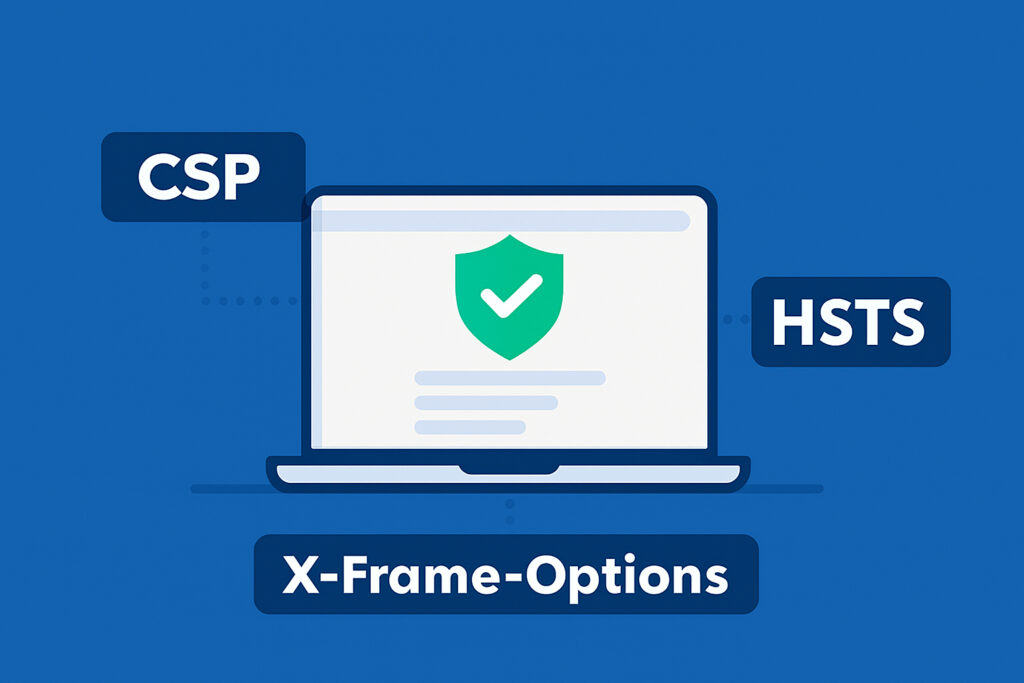
Security headers are one of the most underutilized tools in web application security, yet they can block entire categories of attacks with just a few lines of server configuration. This article breaks down three of the most critical HTTP security headers – Content Security Policy (CSP), HTTP Strict Transport Security (HSTS), and X-Frame-Options – explaining what each one does, how to configure it correctly, and what goes wrong when it’s missing or misconfigured.
Why HTTP Security Headers Matter More Than Most Teams Realize
When developers think about securing a web application, they typically focus on input validation, authentication, and patching known vulnerabilities. Security headers rarely make the top of the list – and that gap gets exploited.
HTTP response headers are instructions sent by the server to the browser. Security-specific headers tell the browser how to handle your content: whether to allow it inside a frame, which sources are trusted for scripts, and whether to enforce HTTPS. They don’t replace application-level fixes, but they add a critical defensive layer on top.
Missing or misconfigured security headers are a recurring finding in web security audits. They fall squarely under OWASP’s security misconfiguration category, one of the most consistently exploited vulnerability classes across the industry.
Content Security Policy: Controlling What the Browser Is Allowed to Execute
CSP is the most powerful – and most complex – of the three headers. Its primary job is to prevent cross-site scripting (XSS) and data injection attacks by telling the browser exactly which sources are allowed to load scripts, styles, images, and other resources.
A basic CSP header looks like this:
Content-Security-Policy: default-src ‘self’; script-src ‘self’ https://cdn.example.com; object-src ‘none’
This tells the browser: load resources only from the same origin by default, allow scripts from one trusted CDN, and block all plugin content entirely. If an attacker manages to inject a script tag pointing to a malicious external domain, the browser simply refuses to execute it.
The common mistake is deploying CSP in a way that’s so broad it provides no real protection. Directives like script-src ‘unsafe-inline’ ‘unsafe-eval’ are technically valid but essentially disable the header’s XSS protection. Teams often add these to silence browser console errors without realizing they’ve neutralized the policy.
Getting CSP right requires an audit of every resource your page loads – third-party scripts, fonts, analytics, payment widgets – and building a whitelist around those. Start with Content-Security-Policy-Report-Only mode to observe violations without breaking anything, then tighten the policy based on real data. For a detailed walkthrough, see how to implement Content Security Policy correctly.
HSTS: Forcing Browsers to Use HTTPS Every Time
HTTP Strict Transport Security solves a specific but serious problem: users who type your domain without specifying HTTPS, or who follow an old HTTP link, are vulnerable to SSL stripping attacks during the unencrypted initial request.
HSTS tells the browser: for the next N seconds, always connect to this domain over HTTPS, no matter what. A typical header:
Strict-Transport-Security: max-age=31536000; includeSubDomains; preload
This sets a one-year enforcement window, applies the rule to all subdomains, and flags the site for inclusion in browser preload lists – meaning even the very first connection will be forced to HTTPS before any server communication happens.
The myth worth busting here: many teams assume that having an SSL certificate and redirecting HTTP to HTTPS is sufficient. It isn’t. Without HSTS, that initial HTTP request still travels over the wire unencrypted, giving an attacker on a shared network the opportunity to intercept it before the redirect happens. HSTS closes this window entirely.
The includeSubDomains directive is important but requires caution. If any subdomain is running HTTP-only for legitimate reasons, enforcing HSTS across subdomains will break it. Audit your subdomains before deploying this directive.
The preload directive requires a minimum max-age of one year and cannot easily be reversed – browsers cache the preload list locally, and removal from the official list takes months to propagate. Only enable preload when you’re fully committed to HTTPS across your entire domain.
X-Frame-Options: Blocking Clickjacking Before It Starts
X-Frame-Options controls whether your pages can be embedded inside iframes on other domains. Without it, an attacker can load your site invisibly inside a frame on their own page, positioned under a convincing UI, and trick users into clicking buttons or submitting forms they never intended to interact with. This is the core mechanism behind clickjacking attacks.
The header accepts three values:
DENY – the page cannot be framed by anyone, including the same origin.
SAMEORIGIN – framing is allowed only from the same domain.
ALLOW-FROM uri – framing is allowed from a specific origin (note: not supported in all modern browsers).
For most applications, X-Frame-Options: SAMEORIGIN or DENY is the right choice. If your app doesn’t intentionally embed its own pages in iframes, use DENY – it’s the more conservative and reliable option.
It’s worth knowing that CSP’s frame-ancestors directive is the modern replacement for X-Frame-Options and provides more granular control. However, X-Frame-Options still has broader support in older browsers, so running both is a common and sensible approach. For more on what these attacks look like in practice and how to defend against them, see clickjacking attacks: what they are and how to stop them.
Deployment Considerations Across Different Server Environments
Security headers can be set at several levels: the web server (Apache, Nginx), the application framework (Express, Django, Laravel), or a reverse proxy or CDN layer (Cloudflare, AWS CloudFront).
In Nginx, adding these headers is straightforward inside the server block:
add_header Strict-Transport-Security “max-age=31536000; includeSubDomains” always;
add_header X-Frame-Options “SAMEORIGIN” always;
add_header Content-Security-Policy “default-src ‘self’;” always;
The always keyword ensures the header is sent even with error responses, which matters for complete coverage.
One practical issue in multi-team environments: headers get set in multiple places and end up duplicated or contradicting each other. A CDN might strip or override headers set at the origin server. Always verify the actual headers returned by your live environment using browser developer tools or a header inspection tool – not just your config files.
Frequently Asked Questions
Do security headers affect website performance?
No measurable impact on load time. Security headers are tiny strings sent in the HTTP response. They add negligible overhead – the processing cost is essentially zero compared to resource loading, database queries, or rendering.
Can security headers replace other security measures like input validation?
No, and this is an important distinction. Security headers are a browser-side enforcement mechanism. They reduce the blast radius of certain attacks but don’t fix underlying vulnerabilities. An application with SQL injection flaws or broken authentication needs those fixed at the code level – headers won’t help there.
How do I know if my security headers are correctly configured?
Automated website security scanning is the most reliable method at scale. Manual checks using browser developer tools work for a single page, but headers need to be verified across different response types, error pages, and subdomains. Automated tools check all of these consistently and flag missing or misconfigured headers as part of a broader security audit.
Summary: Small Configuration, Significant Protection
CSP, HSTS, and X-Frame-Options are not exotic defenses – they’re baseline expectations for any production web application. CSP limits what the browser will execute, HSTS ensures connections always use encryption, and X-Frame-Options prevents your pages from being weaponized in clickjacking scenarios.
The practical advice: don’t deploy all three in their strictest form at once. Roll out HSTS with a short max-age first and extend it gradually. Use CSP in report-only mode before enforcing it. Test X-Frame-Options against any legitimate iframe use cases your application has.
Security headers are also a reliable indicator of overall security maturity. Sites that have them properly configured tend to have teams paying attention to the details – and that attention is what keeps most opportunistic attacks from succeeding.