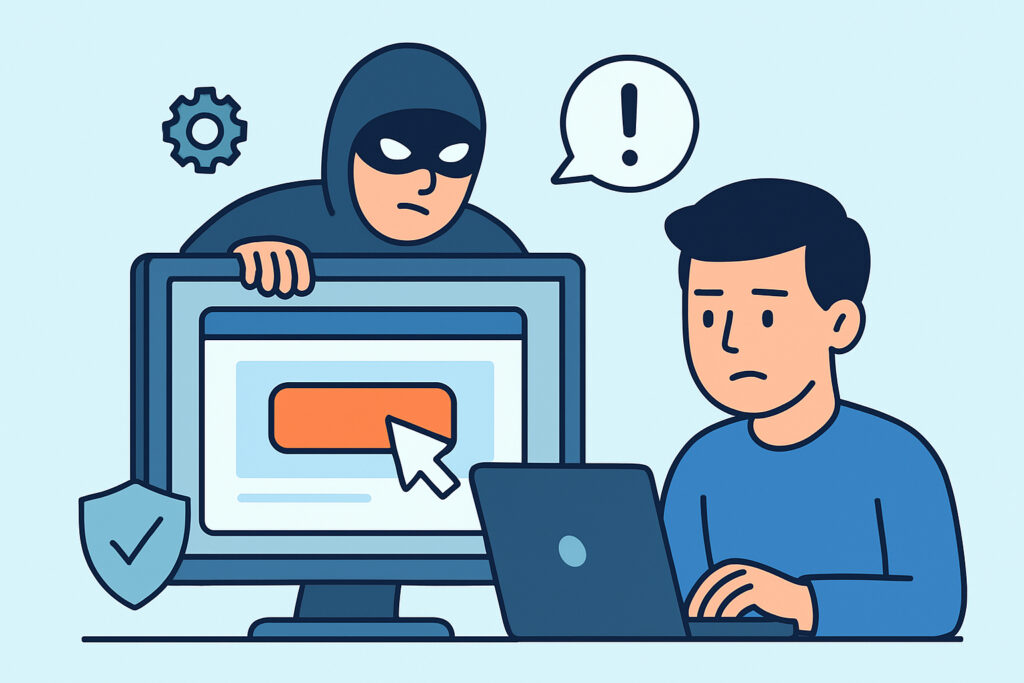
Clickjacking attacks represent a persistent threat to web applications, where attackers trick users into clicking on hidden elements that perform unintended actions. This comprehensive guide explores what clickjacking attacks are, how they work, and most importantly, how to implement effective defenses to protect your users and applications.
Despite being a well-known vulnerability category in the OWASP framework, clickjacking continues to affect websites across all industries. The attack exploits the visual presentation layer of web browsers, making it particularly insidious because users believe they’re interacting with legitimate content while unknowingly performing malicious actions.
Understanding Clickjacking Attack Mechanics
Clickjacking, also known as UI redressing, works by overlaying invisible or disguised interface elements over legitimate web content. Attackers create a malicious page that loads the target website in a transparent iframe, positioning clickable elements from the target site beneath seemingly harmless buttons or links.
The attack relies on CSS properties like opacity, z-index, and positioning to manipulate the visual stack order of page elements. When users think they’re clicking a “Play Video” button or “Download File” link, they’re actually clicking on hidden elements that might transfer money, change account settings, or grant application permissions.
A typical scenario involves a social media platform where users receive links to supposedly funny videos. The malicious page displays an enticing video thumbnail with a play button, but invisible behind that button lies the target site’s “Delete Account” button. One click later, the user has unknowingly deleted their account on the legitimate platform.
Common Clickjacking Attack Vectors
Attackers employ several techniques to make clickjacking attacks more effective. The classic transparent overlay approach uses CSS opacity settings to make iframes nearly invisible while keeping them functionally clickable. More sophisticated attacks use partial overlays that only hide critical interface elements while showing enough legitimate content to maintain user trust.
Drag-and-drop clickjacking represents an advanced variant where attackers trick users into dragging sensitive information from one area to another. This technique can extract data from password managers, file systems, or other applications that support drag-and-drop functionality.
Mobile clickjacking exploits touch interface behaviors, where precise clicking becomes more difficult. Attackers can position malicious elements near legitimate touch targets, increasing the likelihood of accidental activation. The smaller screen real estate on mobile devices makes these attacks particularly effective.
Why Traditional Security Measures Fall Short
Many developers assume that HTTPS encryption or input validation will prevent clickjacking attacks, but this represents a fundamental misunderstanding of the attack vector. Clickjacking operates at the browser presentation layer, completely bypassing server-side security controls.
Authentication mechanisms also provide no protection against clickjacking. Since the attacks occur within the user’s authenticated session, all actions appear legitimate from the server’s perspective. The user has valid credentials and proper session tokens – the server cannot distinguish between intentional and tricked clicks.
Content Security Policy implementations sometimes create a false sense of security. While CSP offers some clickjacking protections, incomplete or misconfigured policies leave applications vulnerable. Many developers implement CSP for XSS prevention but overlook the frame-ancestors directive that specifically addresses clickjacking threats.
Implementing X-Frame-Options Headers
The X-Frame-Options header provides the most straightforward clickjacking defense by controlling whether browsers allow pages to be embedded in frames. Setting this header correctly prevents attackers from loading your site in their malicious iframes.
Three main X-Frame-Options values offer different levels of protection. “DENY” completely prevents framing, which works well for applications that never need iframe embedding. “SAMEORIGIN” allows framing only from pages on the same domain, suitable for applications with legitimate internal framing needs. “ALLOW-FROM” permits framing from specific trusted domains, though browser support for this option remains inconsistent.
Implementation requires adding the header to all response pages that could be targeted by clickjacking. Web servers like Apache and Nginx support header configuration at the server level, while application frameworks typically provide middleware or configuration options for header management.
For Apache servers, add this configuration to enable X-Frame-Options protection:
“`
Header always append X-Frame-Options DENY
“`
Nginx users can implement the same protection with:
“`
add_header X-Frame-Options “DENY” always;
“`
Advanced Defense with Content Security Policy
Content Security Policy offers more granular control over clickjacking prevention through the frame-ancestors directive. Unlike X-Frame-Options, CSP allows complex rules that specify multiple trusted sources and provides better browser compatibility for modern applications.
The frame-ancestors directive accepts similar values to X-Frame-Options but with enhanced flexibility. Setting “frame-ancestors ‘none'” mirrors X-Frame-Options DENY behavior, while “frame-ancestors ‘self'” matches SAMEORIGIN functionality.
CSP implementation should complement rather than replace X-Frame-Options for maximum browser compatibility. Older browsers that don’t support CSP will fall back to X-Frame-Options, ensuring comprehensive protection across different user agents.
Consider this CSP header that prevents clickjacking while allowing other legitimate resources:
“`
Content-Security-Policy: frame-ancestors ‘self’ https://trusted-partner.com; default-src ‘self’
“`
JavaScript-Based Frame-Busting Techniques
Frame-busting scripts provide an additional defense layer by detecting iframe embedding and taking corrective action. These scripts check if the current page runs within a frame and can redirect the parent window, display warnings, or break out of the frame entirely.
Basic frame-busting involves comparing window.self with window.top to detect iframe embedding. When the script detects framing from an unauthorized domain, it can redirect the top-level window to the legitimate page location.
However, frame-busting scripts face several limitations and attack vectors. Sophisticated attackers can disable JavaScript, use sandbox attributes to restrict script execution, or employ double-framing techniques that bypass simple detection logic. Modern applications should treat JavaScript frame-busting as a supplementary measure rather than a primary defense.
A robust frame-busting implementation might look like this:
“`javascript
if (top !== self) {
if (document.referrer && document.referrer.indexOf(‘trusted-domain.com’) === -1) {
top.location.href = self.location.href;
}
}
“`
Testing Your Clickjacking Defenses
Regular testing ensures that clickjacking protections remain effective as applications evolve. Manual testing involves creating test pages that attempt to frame your application and verifying that browsers properly block the embedding attempts.
Automated security scanning can identify missing or misconfigured clickjacking protections across large applications. These scans check for proper header implementation and can detect pages that might have been overlooked during manual security reviews.
Browser developer tools provide valuable testing capabilities by allowing manual header inspection and frame embedding simulation. Testing should cover different browsers and versions to ensure consistent protection across your user base.
Consider implementing monitoring that alerts when pages load without proper clickjacking headers. This approach helps catch configuration errors or new pages that lack appropriate security controls.
Frequently Asked Questions
Can clickjacking attacks work on mobile devices?
Yes, mobile devices are particularly vulnerable to clickjacking due to smaller screens and touch interfaces. The reduced precision of touch inputs compared to mouse clicks increases the likelihood that users will accidentally activate hidden elements. Mobile-specific defenses should include responsive design considerations and touch target sizing guidelines.
Do single-page applications need different clickjacking protection?
Single-page applications require the same fundamental protections as traditional websites. However, SPAs should ensure that security headers are properly set for all routes and that client-side routing doesn’t bypass frame protection. API endpoints used by SPAs may also need clickjacking protection if they’re accessed directly through forms.
What happens if I need legitimate iframe embedding for my application?
Applications that require legitimate iframe embedding should use the SAMEORIGIN X-Frame-Options setting or configure CSP frame-ancestors to allow specific trusted domains. Document all legitimate framing use cases and regularly audit them to ensure they remain necessary and secure. Consider implementing additional validation for sensitive actions that might be triggered through embedded frames.
Building Comprehensive Clickjacking Protection
Effective clickjacking prevention requires a layered approach combining multiple defensive techniques. Implement both X-Frame-Options and Content Security Policy headers to ensure broad browser compatibility. Add JavaScript frame-busting as a backup measure, but don’t rely on it as your primary defense.
Regular security auditing should include clickjacking vulnerability assessments alongside other OWASP security testing. Monitor your applications for proper header implementation and test new features for potential clickjacking exposure. Remember that clickjacking protection needs to evolve alongside your application architecture and feature set.
The key to successful clickjacking prevention lies in understanding that this attack exploits user interface presentation rather than traditional application security boundaries. By implementing proper headers, testing regularly, and maintaining awareness of evolving attack techniques, you can effectively protect your users from these deceptive attacks.