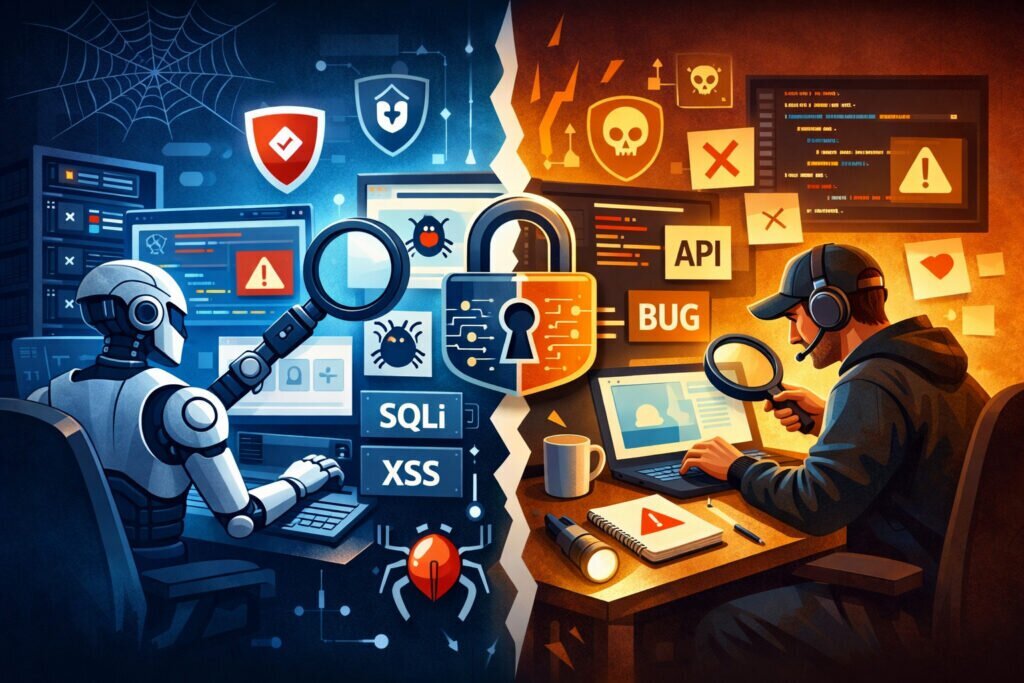
If you’re responsible for keeping a website or web application secure, you’ve probably faced this question: should you rely on automated security testing, manual testing, or both? The answer isn’t as simple as picking one over the other. Understanding the pros and cons of automated vs manual security testing helps you allocate your budget wisely, catch more vulnerabilities, and avoid the blind spots that attackers love to exploit.
I’ve seen teams burn through their entire security budget on a single annual penetration test — then get compromised three months later by a vulnerability introduced in a routine plugin update. That’s not a failure of manual testing. It’s a failure of strategy. Let’s break down where each approach shines and where it falls short.
What Automated Security Testing Actually Does
Automated security testing uses software tools to scan your website or application for known vulnerabilities — things like SQL injection entry points, XSS flaws, missing security headers, outdated software versions, and misconfigured SSL/TLS certificates. If you’ve ever wondered what a website security scanner is and why you need one, this is the core of it.
The big advantage is consistency. An automated scanner will run the same 150+ checks every single day without getting tired, distracted, or forgetting a step. It doesn’t need coffee breaks. It doesn’t skip tests because it’s Friday afternoon.
Pros of automated testing:
Speed and frequency — you can scan daily or even hourly. A tool like ScanVigil runs over 150 security tests covering roughly 70% of OWASP’s key vulnerability categories, and it does this every day without any manual intervention.
Cost efficiency at scale — once configured, automated scanning costs the same whether you run it once or a thousand times. For small businesses and solo developers, this is often the only realistic option.
Consistency — every scan follows the same methodology. No human variability. No “I forgot to check that endpoint.”
Immediate alerting — automated tools notify you the moment something changes. A new vulnerability in a WordPress plugin, a lapsed SSL certificate, a suddenly exposed API endpoint — you hear about it within hours, not months.
Coverage of known threats — automated scanners are excellent at catching the common stuff: SQL injections, XSS, SSRF, email injection, insecure headers, GDPR compliance gaps, and subdomain takeover risks.
What Manual Security Testing Brings to the Table
Manual testing — typically in the form of penetration testing — involves a human security professional actively trying to break into your system. They think creatively, chain vulnerabilities together, and test business logic in ways that automated tools simply can’t.
Pros of manual testing:
Business logic flaws — automated scanners can’t understand that your e-commerce checkout allows negative quantities, or that your user role system lets a regular user escalate to admin through a specific sequence of API calls. A human tester catches these.
Chained exploits — a skilled pentester might find that a low-severity information disclosure combined with a minor IDOR vulnerability creates a critical attack path. Automated tools typically report each issue in isolation.
Context awareness — a human understands that exposing internal employee names on a public page is a social engineering risk, even if no technical vulnerability exists.
Cons of manual testing:
Expensive — a thorough penetration test can cost thousands of euros and usually happens once or twice a year at most.
Point-in-time — a manual test reflects your security posture on that specific day. Deploy a new feature next week, and the results are already partially outdated.
Human error — testers have varying skill levels. A junior pentester might miss what a senior one would catch immediately.
The Myth: “A Pentest Once a Year Is Enough”
This is probably the most dangerous misconception in web security. I’ve worked with site owners who felt completely safe because they had a clean pentest report from six months ago. In the meantime, they’d updated three plugins, added a new contact form, and changed hosting providers — all without any security review.
The reality is that your attack surface changes constantly. New code, new dependencies, new configurations. An automated scanner like ScanVigil catches these changes as they happen, running daily automated security scans that would be impossibly expensive to replicate manually.
That doesn’t mean pentests are useless — far from it. It means they’re a complement to continuous automated monitoring, not a replacement.
Where Automated Testing Falls Short
Let’s be honest about the limitations. Automated vulnerability scanning has real blind spots. It struggles with custom authentication flows, complex multi-step processes, and anything requiring human judgment about severity in context. It can tell you a security header is missing, but it can’t tell you whether that missing header is actually exploitable given your specific architecture.
Automated tools also generate false positives. Learning to understand how malware scanners work behind the scenes helps you interpret results more accurately and avoid wasting time chasing non-issues.
The Smart Approach: Combine Both
The most effective security strategy layers both approaches. Here’s a practical framework:
Daily: Run automated scans covering known vulnerability patterns, malware detection, SSL/TLS analysis, security headers, and configuration checks. This is your early warning system.
Quarterly or after major changes: Conduct focused manual testing on new features, authentication flows, and business-critical logic.
Annually: Commission a full penetration test that covers your entire attack surface, including the areas automated tools can’t reach.
This layered approach maps well to the OWASP Top 10 web security risks. Automated scanning handles most of the technical categories — injection, broken authentication indicators, security misconfigurations, known vulnerable components — while manual testing covers the logic-heavy categories like broken access control and insecure design.
For a broader view of what to cover, a solid website security checklist helps ensure nothing slips through regardless of which testing method you’re using.
FAQ
Can automated security testing replace manual penetration testing entirely?
No. Automated testing excels at detecting known vulnerability patterns consistently and affordably, but it cannot evaluate business logic, chain exploits creatively, or assess context the way a human tester can. The two approaches are complementary — automated testing handles breadth and frequency, while manual testing provides depth and creativity.
How often should I run automated security scans?
Daily is the minimum recommendation for any production website. Your site’s code, plugins, and dependencies change frequently, and attackers actively scan for newly disclosed vulnerabilities. Services like ScanVigil run daily scans automatically with email alerts for critical findings, so there’s no maintenance overhead on your end.
Is automated testing worth it for small websites?
Absolutely. Small websites are frequently targeted precisely because attackers assume they have weaker security. Automated scanning is the most cost-effective way to maintain continuous security monitoring without the budget for regular manual pentests. Even a simple WordPress site with a few plugins has a real attack surface that changes with every update.
The bottom line: don’t choose between automated and manual security testing — use each where it’s strongest. Let automated scanning handle the daily grind of monitoring your attack surface, and bring in human testers for the deep, creative analysis that machines can’t replicate. That combination is what actually keeps sites secure in practice.