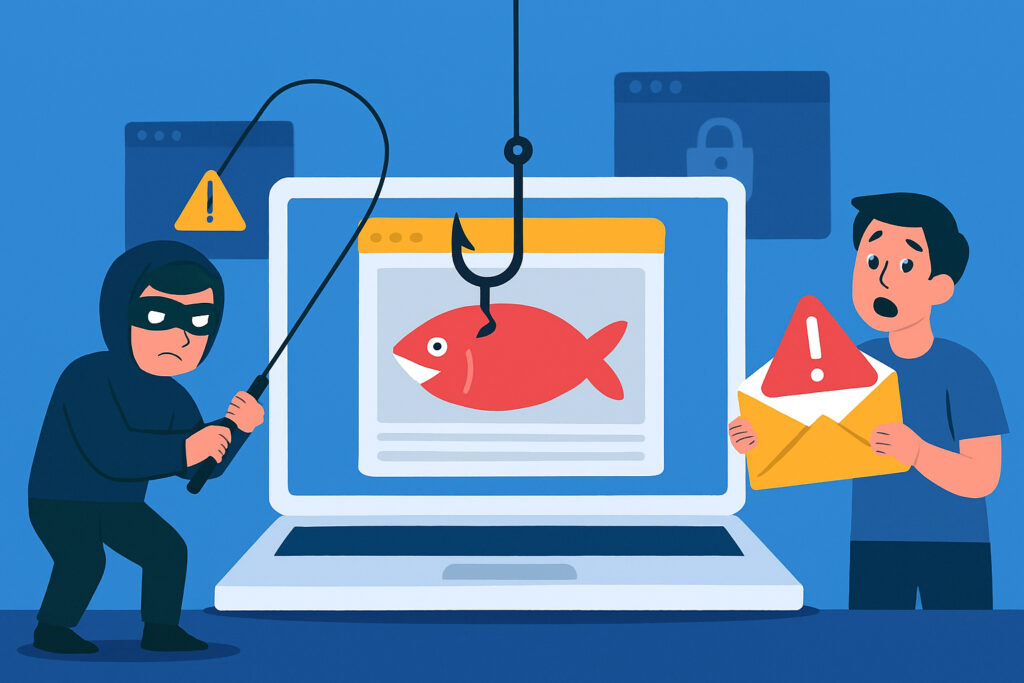
If you run a website, you might think phishing is something that only happens through email. But here’s the uncomfortable truth: your own website could be silently spreading phishing attacks right now without you knowing it. Compromised websites have become one of the primary tools cybercriminals use to distribute phishing pages, and the consequences affect not just your visitors but your business reputation and search rankings too.
Understanding how this happens and what you can do about it is crucial for anyone responsible for a website’s security.
Why Hackers Target Regular Websites for Phishing
Cybercriminals don’t always create their own domains for phishing attacks anymore. It’s expensive, time-consuming, and these domains get blacklisted quickly. Instead, they look for legitimate websites with existing traffic and good reputations to exploit.
When hackers compromise a normal business website or blog, they inherit its domain authority and trust. Email filters and browsers are less likely to flag a phishing page hosted on an established domain. Visitors see a familiar website URL and drop their guard.
I’ve seen this firsthand with several WordPress sites. The owner noticed nothing wrong because the main site looked fine. But buried in their file structure were dozens of phishing pages targeting bank customers, cryptocurrency users, and even tax authorities. The pages were carefully designed to avoid detection while actively harvesting credentials.
Common Methods Hackers Use to Compromise Websites
Most website compromises happen through predictable vulnerabilities. Outdated WordPress installations, plugins that haven’t been updated in years, weak administrator passwords, or vulnerable themes create easy entry points.
Once inside, attackers typically upload phishing kits. These are ready-made packages containing everything needed to create convincing fake login pages for banks, email providers, or popular services. The kits include templates, scripts to capture credentials, and tools to forward stolen data to the criminals.
The scary part is how quietly this happens. Your website continues functioning normally. Your homepage looks fine. Your business pages work. But hidden directories contain active phishing operations targeting thousands of potential victims.
How Phishing Pages Stay Hidden on Compromised Sites
Attackers are clever about hiding their malicious content. They create pages in obscure directories with random character strings as folder names. Something like /wp-content/uploads/2019/11/xK9mP2qR/login.html doesn’t appear in your normal site navigation and won’t show up in casual browsing.
These pages often include code that detects security scanners or known security company IP addresses. When a scanner tries to access the page, it shows harmless content or redirects to the legitimate site. But when a regular user clicks a phishing link, they see the fake login form.
Some phishing operations even use cloaking techniques that check the visitor’s referrer or user agent. If you’re coming from a security tool or research institution, you get redirected. Regular users from email links or search results see the phishing page.
The Distribution Chain: From Compromise to Victim
Here’s how a typical attack unfolds. Hackers compromise your website and install phishing pages. Then they distribute links through spam emails, often impersonating well-known companies or services. The email tells recipients to ”verify their account” or ”confirm a transaction” and includes a link to your compromised website.
Because your domain has been around for years and isn’t on blacklists, the emails are more likely to reach inboxes. When recipients click the link, they land on a convincing fake login page hosted on your server. They enter their credentials, which get sent to the attackers, and then they’re usually redirected to the real service login page. Most victims never realize what happened.
Meanwhile, your website is burning its reputation. Search engines start flagging your site. Browsers display security warnings. Your legitimate business traffic drops as your domain gets blacklisted.
Real-World Impact on Website Owners
The consequences of hosting phishing pages go beyond just the ethical problem of facilitating attacks. Google and other search engines actively scan for phishing content. Once detected, your entire domain can be flagged as dangerous.
Getting removed from blacklists is a nightmare. Even after cleaning your site, it can take weeks or months to restore your reputation. During that time, visitors see scary warnings before accessing your site, destroying conversion rates and trust.
Legal liability is another concern. While you might not be legally responsible for hosting phishing pages you didn’t create, you could face scrutiny from authorities investigating the attacks. At minimum, you’ll need to cooperate with investigations and provide server logs.
Warning Signs Your Site Might Be Compromised
Several indicators suggest your website might be hosting phishing content. Sudden drops in search rankings often happen when Google detects malicious pages. Browser warnings or security notices from hosting providers are obvious red flags.
Check your server logs for unusual file uploads or modifications in directories you don’t normally use. Look for new files in upload folders with suspicious names or random character strings. Unexpected traffic spikes from countries you don’t normally serve could indicate phishing campaigns.
Email notifications from webmaster tools about security issues should never be ignored. These automated systems often detect problems before you notice anything wrong with your visible site.
Protecting Your Website from Being Exploited
Prevention starts with basic security hygiene. Keep everything updated – your CMS, plugins, themes, and server software. Use strong, unique passwords for all administrative accounts and enable two-factor authentication wherever possible.
Regular security scans catch compromises early. Automated daily scanning can detect new phishing pages within hours of creation instead of weeks later when damage is already done. Manual file integrity checks help too, comparing current files against known good versions.
Limit file upload permissions and disable unnecessary features. If your site doesn’t need file uploads, turn that functionality off. Monitor your server for new directories and unusual file activity.
Consider using a web application firewall to block common attack vectors before they reach your server. Many hosting providers offer this as a standard feature, but it needs to be configured and monitored.
What to Do If You Find Phishing Pages
If you discover phishing content on your site, act immediately. Take the affected pages offline first to stop the attack from continuing. Don’t just delete the files yet – you might need them for investigation or to understand the full scope of the compromise.
Change all passwords associated with your website, including FTP, database, hosting control panel, and CMS admin accounts. Review all user accounts for suspicious additions.
Scan every file on your server. Attackers often install backdoors alongside phishing kits to maintain access even after initial cleanup. These backdoors can be subtle, hiding in legitimate-looking files or disguised as normal code.
Frequently Asked Questions
How do hackers usually get into websites to install phishing pages?
The most common entry points are outdated software with known vulnerabilities, weak passwords that can be brute-forced, and compromised credentials from data breaches on other sites where administrators reused passwords.
Will visitors know if my site is hosting phishing pages?
Most visitors won’t notice unless they accidentally access the phishing pages directly. However, if browsers start flagging your domain as dangerous, everyone will see prominent warnings.
Can small websites be targeted too?
Absolutely. Attackers use automated tools that scan millions of websites looking for vulnerabilities. They don’t care about your site’s size – they care about easy access and a working domain.
How often should I scan my website?
Daily automated scans provide the best protection. Phishing kits can be installed and active within hours, so waiting for weekly or monthly scans leaves too much exposure time.
Your website’s security directly affects everyone who visits it. Taking proactive steps to prevent compromise and quickly detecting any security issues protects both your business and your visitors from becoming victims of phishing attacks.