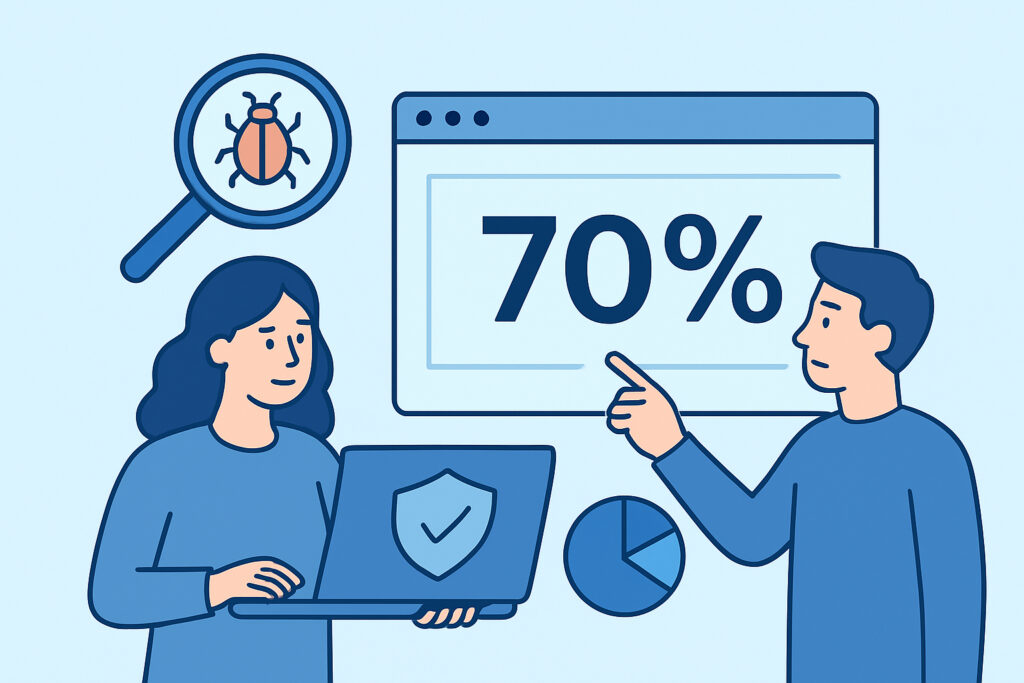
Automated security scanners promise broad OWASP coverage, but “70% of OWASP categories” is a number worth unpacking rather than taking at face value. This article breaks down exactly what automated scanning can and can’t catch across the OWASP Top 10, why the gap exists, and what it means for how you build a realistic security program around it.
What OWASP coverage actually measures
The OWASP Top 10 isn’t a checklist of ten discrete bugs – it’s ten broad categories, each covering dozens of specific vulnerability patterns. “Injection” alone spans SQL injection, command injection, email header injection, and more. “Broken Access Control” covers everything from missing authorization checks on an API endpoint to insecure direct object references in a URL parameter.
When a scanner says it covers roughly 70% of these categories, it means it has automated, repeatable tests for the majority of patterns within most categories – not that it catches 70% of all possible vulnerabilities. That distinction matters a lot when you’re deciding what to trust a scan report for and what still needs a human.
Where automation performs well
Certain vulnerability classes are naturally suited to automated detection because they produce observable, testable signatures:
Injection flaws – SQL injection and email injection can be probed with crafted payloads and response analysis. A scanner sends known attack strings and watches for error messages, timing differences, or unexpected output.
Security misconfiguration – missing headers, verbose error messages, exposed admin panels, and default credentials are all detectable through direct inspection of HTTP responses and server behavior.
Cryptographic failures – weak TLS configurations, expired certificates, and outdated cipher suites are straightforward to fingerprint programmatically.
Vulnerable and outdated components – version fingerprinting against known CVE databases works reliably for WordPress cores, plugins, and common libraries.
Server-Side Request Forgery (SSRF) – scanners can test whether an application makes outbound requests to attacker-controlled URLs, a pattern that’s fairly mechanical to probe.
These categories share a trait: the vulnerability manifests as a detectable technical response, not a judgment call about business logic.
Where automation hits its limits
The remaining ~30% isn’t a rounding error – it’s where the hardest vulnerabilities live.
Broken access control is notoriously difficult to automate fully. A scanner can flag that an endpoint doesn’t require authentication, but determining whether User A should be able to view User B’s invoice requires understanding your application’s authorization model. That’s context a generic scanner doesn’t have.
Business logic flaws – like a checkout process that lets a discount code stack indefinitely, or a workflow that skips a required approval step – have no generic signature to test for. They’re specific to how your application is supposed to behave.
Insecure design as a category is inherently about architectural decisions made before code was written. No amount of black-box testing recovers a flaw baked into the design itself.
This is exactly why the distinction between automated scanning and manual penetration testing matters – see the difference between vulnerability scanning and pen testing for where each approach fits.
Busting the “100% coverage” myth
A common misconception is that a security scanner – any scanner, from any vendor – can achieve complete OWASP Top 10 coverage. It can’t, and any product claiming otherwise should be treated with skepticism.
Business logic testing, in particular, requires a human who understands what the application is supposed to do, not just what technical patterns look dangerous. Treating a scan report as a clean bill of health for logic-dependent risks is one of the more common and costly mistakes teams make after their first few scans come back clean.
The realistic goal for automated scanning isn’t to replace judgment – it’s to eliminate the repetitive, high-volume testing that would otherwise consume a human tester’s time, so that manual effort can focus on the 30% that actually needs it.
A practical example of the gap
Consider a SaaS application with a password reset flow. An automated scan will reliably check whether the reset token is transmitted over HTTPS, whether it’s sufficiently random, whether it expires, and whether the endpoint is rate-limited. Those are all testable, mechanical properties.
What it likely won’t catch: whether the reset flow reveals if an email address exists in the system through a subtly different response message – a business logic nuance that depends on how the specific error handling was written. That kind of gap typically surfaces during a manual review or a dedicated broken authentication assessment, not a daily automated pass. For more on this specific failure mode, see how to detect and fix broken authentication.
How to build coverage around the gap
Given that no automated tool closes the full OWASP loop, a layered approach works better than relying on any single method:
Run daily automated scans for the categories where they excel – injection, misconfiguration, outdated components, TLS issues, and known CVEs. This catches new vulnerabilities as they’re introduced, often within 24 hours of a code change or plugin update.
Schedule periodic manual reviews or penetration tests for business logic and access control, especially after major feature releases or before high-traffic events.
Read scan reports critically rather than treating a clean scan as proof of full security. Understanding what a report does and doesn’t cover is worth the time – see how to read and understand security scan reports for a walkthrough of interpreting results correctly.
Prioritize based on exposure – a public-facing checkout flow with complex business logic deserves manual attention sooner than an internal admin tool with simple CRUD operations.
Frequently asked questions
Does 70% OWASP coverage mean a site is 70% secure?
No. Coverage refers to the breadth of testable patterns within OWASP categories, not an overall security score. A site could pass every automated check and still have a critical business logic flaw that a scanner was never designed to detect.
Can automated scanning ever reach 100% OWASP coverage?
Not with current techniques. Categories like insecure design and parts of broken access control depend on understanding intended application behavior, which requires human context that black-box automated testing structurally cannot infer on its own.
Should I skip manual testing if my automated scans come back clean?
No. Clean automated results mean the mechanically testable issues are addressed – they say nothing about business logic or access control gaps, which is exactly the territory manual testing is meant to cover.
The 70% figure is best understood as a description of where automation adds the most value, not a ceiling on your overall security posture. Treating daily automated scanning as the foundation – and pairing it with periodic manual review for the categories that require human judgment – gives a far more accurate picture of where a site actually stands than either approach used alone.