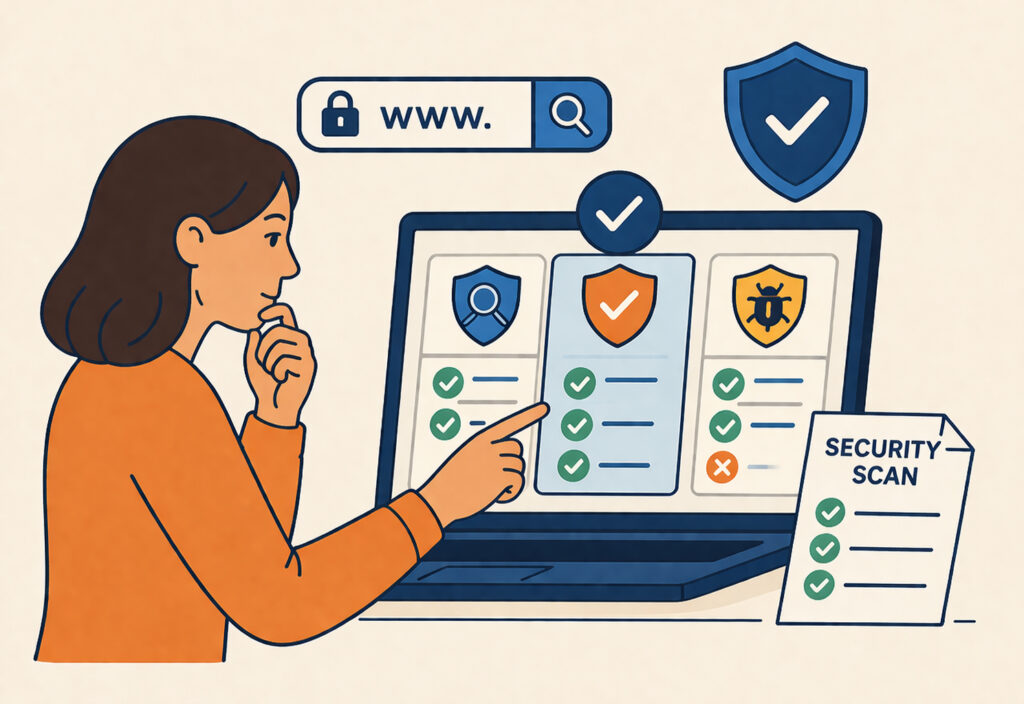
If you’re responsible for keeping a website safe – whether it’s a WordPress blog, an e-commerce store, or a SaaS application – picking the right security scanner is one of the most impactful decisions you’ll make. A good scanner catches vulnerabilities before attackers do. A bad one gives you false confidence while real threats slip through. This guide walks you through exactly how to choose the right security scanner for your site, based on what actually matters in practice.
Why the Choice Matters More Than You Think
I’ve seen teams run a free online scanner once, get a green checkmark, and assume they’re secure. Three weeks later, their site was serving phishing pages through a compromised plugin. The scanner they used only checked for outdated software versions – it didn’t test for XSS, SQL injection, or misconfigured security headers.
Not all scanners are created equal. Some only scratch the surface. Others go deep but produce so many false positives that the results become useless. The right tool depends on your site’s technology stack, your threat model, and how much time you can realistically spend on security.
Define What You’re Protecting
Before comparing tools, get clear on your situation. A static brochure site has different needs than a WordPress site with 30 plugins or an e-commerce platform handling credit card data.
Ask yourself these questions:
What CMS or framework does your site run on? WordPress sites need plugin and theme vulnerability checks. Custom applications need deeper scanning for injection flaws and authentication weaknesses.
Do you handle sensitive data? If you process payments, store personal information, or operate in the EU under GDPR, you need a scanner that checks for compliance gaps – not just technical vulnerabilities.
How often does your site change? Sites with frequent updates, new content, or plugin installations need regular automated scanning rather than occasional manual checks.
Key Features to Look For in a Security Scanner
Here’s what separates a useful scanner from a checkbox exercise.
Broad vulnerability coverage. Look for a scanner that tests across OWASP’s top vulnerability categories – SQL injection, cross-site scripting, SSRF, security header misconfigurations, and more. A tool that only checks SSL certificates or blacklist status is leaving massive blind spots. ScanVigil, for example, runs over 150 different security tests covering roughly 70% of OWASP’s key vulnerability categories, which gives you a realistic picture of your exposure.
Automated daily scanning. Security isn’t a one-time event. New vulnerabilities are disclosed daily, and your site’s attack surface changes with every update. The scanner should run automatically in the background without requiring you to remember to click a button. If you’re still debating whether automated or manual testing fits your workflow, it’s worth understanding the trade-offs between automated and manual security testing.
Actionable reporting. A scan that dumps 200 findings with no context is worse than no scan at all. Good scanners prioritize findings by severity, explain what the issue means in plain language, and suggest how to fix it. Email alerts for critical findings are essential so you can respond before damage spreads.
CMS-specific checks. If you run WordPress, your scanner should understand the WordPress ecosystem – checking for known plugin vulnerabilities, exposed wp-login pages, directory listing issues, and xmlrpc abuse vectors. Generic scanners often miss these entirely.
SSL/TLS and configuration analysis. Beyond just checking whether your certificate is valid, the scanner should analyze your TLS configuration, detect mixed content, and flag weak cipher suites. These are details that affect both security and search engine rankings.
The Myth: “A Firewall Replaces a Scanner”
This is one of the most common misconceptions I encounter. A web application firewall (WAF) and a security scanner serve completely different purposes. A WAF blocks known attack patterns in real time. A scanner identifies vulnerabilities that exist in your code and configuration – problems a firewall can’t fix.
Think of it this way: a firewall is a security guard at the door. A scanner is the building inspector who finds the broken lock on the back entrance. You need both, but one doesn’t replace the other.
Free vs. Paid – What’s the Real Difference?
Free scanners have their place, especially for small sites and personal projects. But they typically come with limitations: fewer tests, no scheduling, no alerting, and limited reporting.
Paid scanners – or comprehensive free tiers like ScanVigil offers – provide continuous monitoring, deeper vulnerability coverage, and the kind of alerting that actually lets you respond in time. For any site generating revenue or handling user data, the cost of a proper scanner is trivial compared to the cost of a breach.
The sweet spot for most small to mid-sized businesses is a scanner that runs daily, covers the major vulnerability categories, and sends you an alert when something critical appears – without requiring you to be a security expert to interpret the results.
A Practical Evaluation Checklist
When comparing scanners, run through these points:
Does it cover OWASP top 10 categories including SQL injection, XSS, and SSRF? Does it perform CMS-specific checks for your platform? Can it run automatically on a schedule without manual intervention? Does it provide clear, prioritized reports with remediation guidance? Does it check SSL/TLS configuration and security headers? Does it alert you immediately for critical findings? Does it require installing anything on your server, or does it work externally?
A scanner that checks all of these boxes – and runs without ongoing maintenance on your part – is worth its weight in gold. If you’re new to this space, start with a solid overview of what a website security scanner is and why you need one.
FAQ
Can I use multiple security scanners at the same time?
Yes, and many professionals do. Different scanners have different detection strengths. Running two complementary tools – for instance, one for general web vulnerabilities and one for CMS-specific issues – can give you broader coverage. Just make sure the scanners don’t interfere with each other or generate excessive traffic to your site.
How quickly should I act on scanner findings?
Critical findings – like active malware, SQL injection vulnerabilities, or exposed admin panels – should be addressed within hours, not days. Medium-severity issues like missing security headers or outdated libraries should be resolved within a week. Low-severity findings can be batched into your regular maintenance cycle.
Do security scanners slow down my website?
Well-designed scanners have minimal impact. External scanners like ScanVigil test your site from the outside, much like a regular visitor would, so the performance effect is negligible. Avoid scanners that require heavy server-side agents, as those can consume resources during peak traffic.
Final Thought
Choosing the right security scanner isn’t about finding the most expensive tool or the one with the longest feature list. It’s about matching the scanner’s capabilities to your site’s actual risk profile – and then making sure it runs consistently. The best scanner is the one that works quietly in the background every day, catches real problems, and tells you about them before your visitors or Google notice. Start scanning, review the results, and iterate. That’s how real website security works.