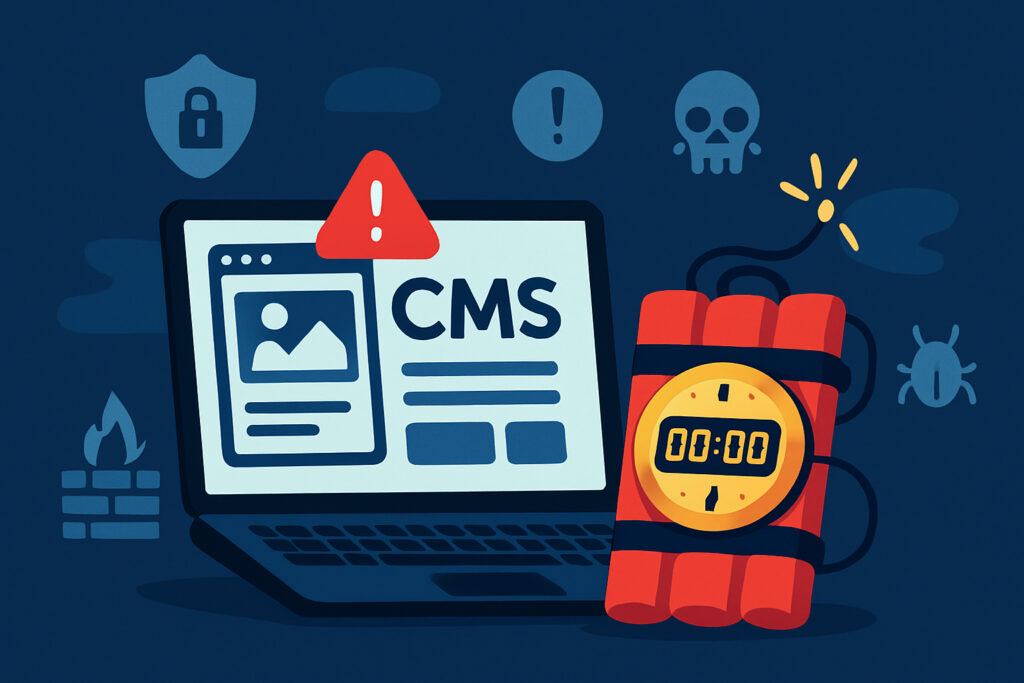
If you’re running a website on an outdated content management system, you’re essentially leaving your front door unlocked in a neighborhood known for break-ins. Every day that passes without updating your CMS increases the likelihood that someone will exploit known vulnerabilities to compromise your site, steal data, or use your server as a launching pad for further attacks.
Why Outdated CMS Platforms Are Such a Massive Risk
Content management systems like WordPress, Joomla, Drupal, and others are constantly being scrutinized by security researchers and, unfortunately, by hackers too. When a vulnerability is discovered, it’s typically announced publicly so that users can patch their systems. But here’s the problem: that same announcement becomes a roadmap for attackers targeting sites that haven’t updated yet.
I remember checking a client’s WordPress site a few years back and finding they were running version 4.7, which had a critical REST API vulnerability that allowed unauthenticated attackers to modify content. The scary part? The vulnerability had been patched months earlier, but because they never updated, their site was still wide open. Within weeks of me discovering this, they had already been compromised and were serving malware to their visitors without even knowing it.
The Most Common Vulnerabilities in Outdated CMS
Old CMS installations are treasure troves for attackers because the vulnerabilities are well-documented and easy to exploit. SQL injection flaws allow attackers to manipulate database queries and extract sensitive information like user credentials and payment details. Cross-site scripting (XSS) vulnerabilities let malicious actors inject scripts that steal session cookies or redirect users to phishing sites.
Remote code execution vulnerabilities are particularly devastating because they allow attackers to run arbitrary code on your server, giving them complete control. Authentication bypass issues let hackers access admin panels without proper credentials, while file upload vulnerabilities can be exploited to upload malicious scripts disguised as legitimate files.
Many outdated systems also suffer from XML-RPC attacks, where the XML-RPC interface is abused for brute force attacks or DDoS amplification. Older versions often lack proper rate limiting or security headers, making them sitting ducks for automated attack tools that scan the internet 24/7 looking for vulnerable targets.
The Real-World Consequences of Running Outdated Software
The impact of a compromised CMS goes far beyond just having your website defaced. When attackers gain access, they often inject malware that infects your visitors’ computers, turning your trusted website into a distribution point for ransomware or banking trojans. This can destroy your reputation overnight and land you on blacklists maintained by Google, Microsoft, and other major platforms.
Data breaches resulting from outdated CMS vulnerabilities can expose customer information, leading to GDPR fines, legal action, and massive loss of trust. If you’re processing payments, you could face PCI-DSS compliance violations that result in your ability to accept credit cards being revoked.
Search engines actively penalize compromised websites by removing them from search results or displaying prominent security warnings. I’ve seen businesses lose 80-90% of their organic traffic within days of being flagged, and recovering from that can take months even after the security issues are resolved.
Attackers also frequently use compromised websites as pivot points for larger attacks, turning your server into part of a botnet used to target others. This can result in your hosting provider suspending your account and you being held liable for damages.
Why Website Owners Delay Updates
Despite the risks, many site owners put off updating their CMS for surprisingly common reasons. The fear of breaking things is probably the biggest one – nobody wants to click an update button and suddenly see their entire site crash or lose critical functionality. This is especially true if the site has custom plugins or themes that might not be compatible with newer CMS versions.
Some people simply don’t realize they need to update because they assume their hosting provider handles it automatically. Others lack the technical knowledge to perform updates safely or don’t have access to development environments where they can test updates before applying them to production.
Budget constraints play a role too, particularly for small businesses that can’t afford dedicated IT staff or regular maintenance contracts with developers. If the site “works fine” from their perspective, spending money on updates feels unnecessary until something goes catastrophically wrong.
Creating a Safe Update Strategy
Before updating anything, you absolutely must create a complete backup of both your files and database. Test that backup by actually restoring it somewhere to confirm it works – a backup you can’t restore is worthless. Many hosts offer automated backup solutions, but don’t rely solely on those. Keep your own copies stored separately.
Set up a staging environment that mirrors your production site exactly. This is where you test updates before applying them to your live site. Most quality hosting providers offer staging environments as part of their service, and there are also plugins that can create staging sites for you.
Update in stages rather than trying to jump from a very old version to the latest one in a single step. Check your CMS’s documentation for the recommended upgrade path, as sometimes you need to update to specific intermediate versions first to avoid data corruption or incompatibilities.
Test thoroughly after each update. Click through your site’s core functionality, submit forms, check that your e-commerce cart works, verify that user registrations function correctly. Don’t just look at the homepage and assume everything is fine.
Maintaining Security Between Major Updates
Enable automatic updates for security patches if your CMS supports it. WordPress, for example, automatically applies minor security updates by default, which can protect you against urgent threats while you prepare for larger upgrades.
Keep your plugins and themes updated too – they’re often bigger security risks than the CMS core itself. Remove any plugins or themes you’re not actively using, as they still present attack surfaces even when inactive. Regularly audit your installed extensions and question whether you really need each one.
Implement security monitoring that alerts you to suspicious activity. Services like ScanVigil can perform daily security scans checking for malware, vulnerabilities, and configuration issues, giving you early warning if something goes wrong. This is particularly valuable because it can detect compromises that happen despite your best update efforts.
Common Myths About CMS Security
“My site is too small to be targeted” is probably the most dangerous myth. Automated attacks don’t discriminate based on site size – they scan millions of sites looking for known vulnerabilities and exploit them regardless of whether you’re a Fortune 500 company or a personal blog.
Some people believe that hiding their CMS version number provides meaningful security. While it’s not a bad practice, it’s security through obscurity and won’t stop determined attackers who can identify your CMS and version through other means like file fingerprinting or specific behavior patterns.
Another myth is that paid or premium CMS platforms are inherently more secure. While they often have better security resources, they’re still software written by humans and contain bugs. No CMS is immune to vulnerabilities – the difference is in how quickly they’re discovered and patched.
When You Discover You’re Already Compromised
If you find evidence of compromise, don’t just clean up what you can see and call it done. Attackers often install multiple backdoors, so removing only the obvious malware leaves you still vulnerable. Take the site offline immediately if possible, or at minimum put up a maintenance page to protect visitors.
Perform a complete security audit scanning all files for suspicious code, checking database tables for injected content, and reviewing user accounts for unauthorized additions. Compare your current files against a clean installation of your CMS version to identify modified core files.
After cleaning, don’t simply restore your old backup if it might be infected too. Instead, do a fresh CMS installation and carefully migrate only your clean content and database. Change all passwords including database passwords, FTP credentials, and hosting panel access. Investigate how the compromise happened to prevent recurrence.
Frequently Asked Questions
How often should I update my CMS? Security updates should be applied immediately, ideally within 24-48 hours of release. Major version updates can follow a more measured approach with proper testing, but shouldn’t be delayed more than a few weeks.
Will updating break my site? It can if you have incompatible plugins or custom code, which is why testing in a staging environment is crucial. Proper preparation minimizes this risk significantly.
Can I update an extremely outdated site directly to the latest version? Sometimes yes, but often you’ll need to follow a specific upgrade path through intermediate versions. Check your CMS documentation for the recommended process.
What if my theme or plugin isn’t compatible with the new version? You’ll need to either find an updated version, replace it with an alternative, or hire a developer to modify it. Don’t let incompatible extensions prevent security updates.
Your website security is only as strong as your weakest link, and an outdated CMS is about as weak as it gets. Making updates a regular part of your website maintenance routine isn’t just good practice – it’s essential for protecting your business, your users, and your reputation.