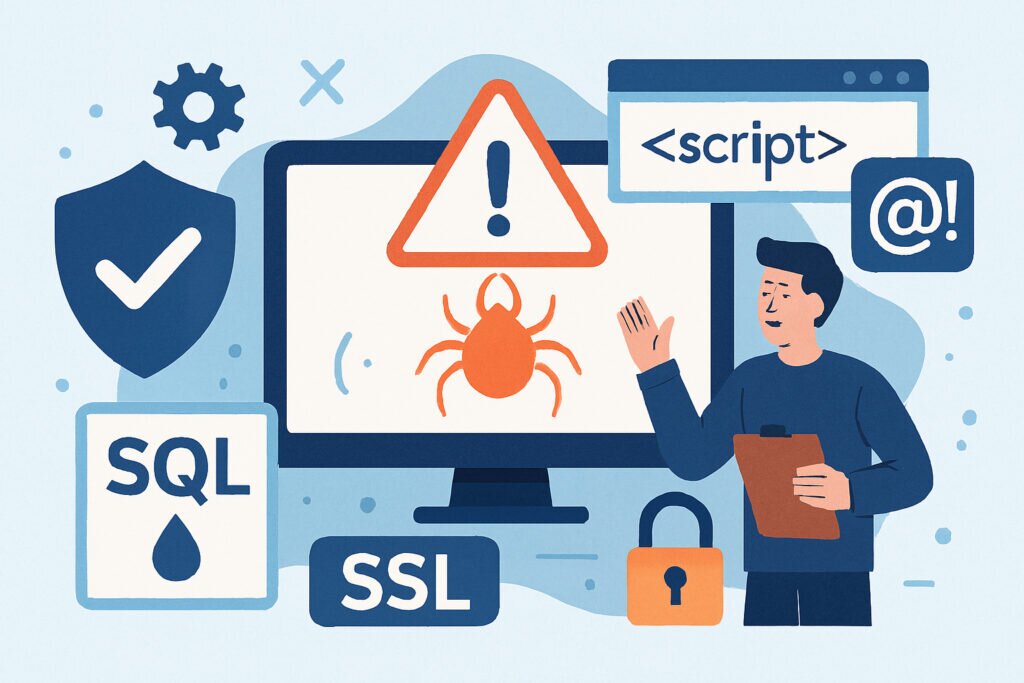
If you run a website or web application, you’re essentially operating a digital storefront that’s open 24/7 to everyone on the internet – including those with malicious intentions. The OWASP Top 10 list has become the industry standard for understanding the most critical security risks facing web applications today. This isn’t just theoretical knowledge; these are real vulnerabilities that attackers actively exploit every single day.
I’ve been working with web security for over 15 years, and I can tell you that understanding these risks isn’t optional anymore. Whether you’re running a small WordPress blog or managing enterprise applications, knowing what you’re up against is the first step toward protecting your users and your business.
What Is OWASP and Why Should You Care?
The Open Web Application Security Project (OWASP) is a nonprofit foundation dedicated to improving software security. Every few years, they compile a list of the ten most critical security risks based on data from security experts worldwide. The current version, released in 2021, reflects the evolving threat landscape and includes some significant changes from previous iterations.
Here’s why this matters to you: these aren’t obscure vulnerabilities that only affect massive corporations. I’ve personally seen small business websites get compromised through SQL injection attacks, and watched as companies lost customer trust overnight due to preventable security breaches. The OWASP Top 10 gives you a roadmap of what to focus on first.
Broken Access Control: The Number One Risk
Broken access control moved to the top spot in 2021, and for good reason. This vulnerability occurs when users can access resources or perform actions they shouldn’t be allowed to. Think of it like having a hotel key card that not only opens your room but also the manager’s office and the safe.
Common examples include URL manipulation where someone changes a parameter in the web address to access another user’s account, or privilege escalation where a regular user somehow gains administrator rights. I once discovered a website where simply changing a number in the URL gave me access to any customer’s order history. The fix was straightforward, but the potential damage was enormous.
Cryptographic Failures: Protecting Sensitive Data
Previously known as “Sensitive Data Exposure,” this category covers failures related to cryptography that often lead to exposure of sensitive data. This includes everything from storing passwords in plain text to using weak encryption algorithms or improperly implementing SSL/TLS.
The practical impact? Credit card numbers, health records, personal identification – all at risk. Many developers assume that simply having an SSL certificate is enough, but that’s just one piece of the puzzle. You need to ensure data is encrypted both in transit and at rest, use strong algorithms, and properly manage encryption keys.
Injection Attacks: Still a Major Threat
SQL injection and other injection attacks have been plaguing web applications for decades, yet they’re still incredibly common. These attacks occur when untrusted data is sent to an interpreter as part of a command or query, tricking the application into executing unintended commands.
A classic SQL injection might look innocent – someone enters a username like “admin’ OR ‘1’=’1” – but it can give an attacker complete access to your database. I’ve seen entire customer databases dumped because a simple search form didn’t properly validate input. The solution involves using parameterized queries and input validation, but you’d be surprised how many applications still get this wrong.
Insecure Design: Security from the Ground Up
This is a newer category that focuses on risks related to design and architectural flaws. It’s different from insecure implementation – this is about missing or ineffective security controls in the design phase itself.
Think of it this way: you can’t patch your way out of a fundamentally flawed design. If your application’s architecture doesn’t include proper threat modeling or security requirements from the start, you’re building on shaky ground. This is why security needs to be considered during planning, not bolted on afterward.
Security Misconfiguration: The Low-Hanging Fruit
This one hits close to home because it’s often the easiest to fix yet incredibly common. Security misconfiguration includes things like default passwords, unnecessary features enabled, detailed error messages that reveal too much information, or outdated software components.
I regularly see production WordPress sites running with debug mode enabled, exposing database credentials and internal paths to anyone who knows where to look. Or servers with directory listing enabled, allowing attackers to browse your file structure. These are often simple checkbox fixes, but they require systematic attention.
Vulnerable and Outdated Components
Modern web applications are built on layers of dependencies – frameworks, libraries, plugins, and modules. When any of these components have known vulnerabilities and aren’t updated, your entire application becomes vulnerable.
The challenge is that many developers don’t even know what components they’re using or what versions. I maintain over 200 WordPress sites, and keeping all plugins and themes updated is a constant battle. But it’s necessary – attackers actively scan for known vulnerabilities in popular plugins and themes.
Identification and Authentication Failures
Formerly known as “Broken Authentication,” this category covers weaknesses in authentication and session management. This includes allowing weak passwords, not implementing multi-factor authentication, or having flawed password reset mechanisms.
A real-world example: I once tested a website where the password reset function would email you a new password in plain text. Not only does this mean passwords are stored insecurely, but it also allows anyone with access to your email to hijack your account. Proper authentication requires multiple layers of protection.
Software and Data Integrity Failures
This new category addresses code and infrastructure that doesn’t protect against integrity violations. This includes using components from untrusted sources, insecure CI/CD pipelines, or auto-update functionality without integrity verification.
The infamous SolarWinds attack is a prime example – attackers compromised the software update mechanism to distribute malicious code to thousands of organizations. On a smaller scale, this could be a WordPress plugin downloaded from an unofficial source that contains malware.
Security Logging and Monitoring Failures
If you don’t know you’ve been attacked, you can’t respond appropriately. Insufficient logging and monitoring means breaches go undetected for months or even years. The average time to detect a breach is still measured in months, not days.
This isn’t just about collecting logs – it’s about monitoring them effectively, setting up alerts for suspicious activity, and having an incident response plan. I’ve implemented daily security scans on my services specifically because waiting for someone to report a compromise is waiting too long.
Server-Side Request Forgery (SSRF)
The newest addition to the Top 10, SSRF flaws occur when a web application fetches a remote resource without validating the user-supplied URL. This allows attackers to coerce the application into sending crafted requests to unexpected destinations.
Attackers can use SSRF to access internal systems that aren’t directly accessible from the internet, potentially bypassing firewalls and accessing sensitive internal APIs or services. This is particularly dangerous in cloud environments where internal metadata services can expose credentials and configuration.
Common Misconceptions About Web Security
Many people think that having an SSL certificate means their site is secure – it doesn’t. SSL only encrypts data in transit; it doesn’t protect against any of these vulnerabilities. Others believe that security is only a concern for large enterprises, but automated attacks don’t discriminate based on company size.
Another myth is that security is expensive and complicated. While comprehensive security requires ongoing effort, many protections are straightforward to implement. Regular updates, strong authentication, input validation – these aren’t rocket science, they’re fundamentals that every website should have.
Taking Action: Where to Start
Understanding the OWASP Top 10 is just the beginning. The next step is systematically addressing these vulnerabilities in your own applications. Start with the basics: ensure your software is updated, implement strong authentication, validate all input, and monitor your systems for suspicious activity.
Consider using automated security scanning tools that can check for these common vulnerabilities. Regular security audits, even basic ones, can catch issues before attackers do. And remember, security isn’t a one-time project – it’s an ongoing process that requires constant attention.
The good news is that awareness itself dramatically improves your security posture. Simply knowing what to look for means you’re already ahead of many websites out there. Stay informed, stay vigilant, and keep your applications secure.