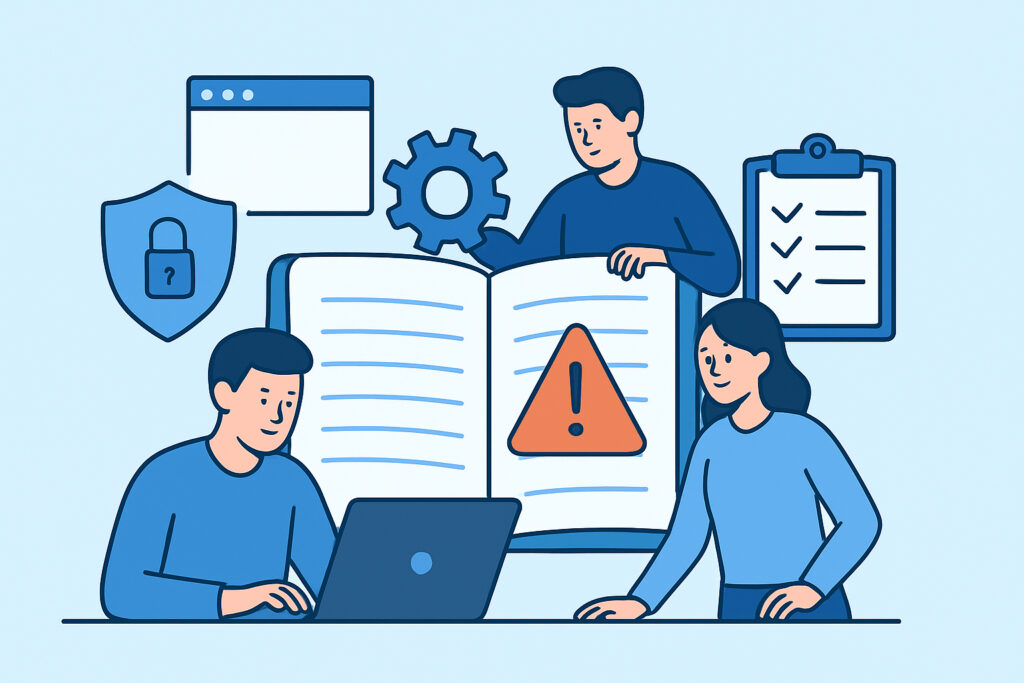
Most web teams find out their incident response plan doesn’t work at the worst possible moment – during an actual breach, at 2am, with three people arguing in Slack about who owns the decision to take the site offline. An incident response runbook fixes that by turning panic into a checklist. This article covers what a runbook needs to contain, how to build one step by step, who should own each part, and the mistakes that make runbooks useless when they’re actually needed.
Why a Runbook Is Different From a Security Policy
A security policy tells people what’s expected. A runbook tells people exactly what to do, in what order, within the first 60 minutes of a confirmed incident. That distinction matters because during a real compromise – a defaced homepage, a spike in outbound traffic from a compromised WordPress plugin, a customer reporting they received a phishing email that looked like it came from your domain – nobody has the bandwidth to interpret a policy document. They need steps.
A good runbook for a web team is short enough to execute under stress, typically 3-5 pages per incident type, not a 40-page compliance binder. It assumes the reader is tired, stressed, and reading on a phone at a coffee shop because the office VPN is part of what’s compromised.
What the Runbook Actually Needs to Contain
Every web team’s runbook should cover five things regardless of stack: detection, triage, containment, eradication, and communication. Skipping any one of these is where teams get burned.
Detection means defining, in advance, what counts as a confirmed incident versus a false alarm. If your scanner flags a modified core file at 3am, is that an automatic page-out or does it wait for business hours? Teams that don’t decide this in advance either ignore real alerts or burn out on-call staff chasing noise.
Triage is the 15-minute window where someone decides severity. A SQL injection attempt that got blocked by a WAF is not the same severity as an active shell uploaded through an unpatched file upload form. Define severity tiers (P1 through P3 works fine) and attach a response SLA to each – P1 gets a response within 15 minutes, P3 within 4 hours.
Containment is the part people skip writing down because “it depends.” It doesn’t depend as much as teams think. For a compromised CMS, containment usually means: rotate admin credentials, revoke API tokens, put the site behind maintenance mode or a static holding page, and block the offending IP ranges at the CDN or firewall layer (Cloudflare, AWS WAF, or whatever sits in front of the origin). Write the exact commands or dashboard steps into the runbook – not “isolate the affected system,” but the actual button to click or CLI command to run.
Step-by-Step: Building the Runbook
Start with the incidents most likely to actually happen to your stack, not a generic top-10 list copied from a vendor blog.
First, pull your last 12 months of security-relevant events – failed logins, scanner alerts, any manual patches applied outside a normal release. This tells you what your real threat pattern looks like, which for most small-to-mid teams running WordPress or a Node/Express app is credential stuffing, outdated plugin exploitation, and misconfigured S3 buckets, not nation-state APTs.
Second, write one runbook per incident category: malware/webshell detection, credential compromise, DDoS or traffic anomaly, data exposure (a misconfigured endpoint leaking PII), and defacement. Each gets its own page with the same five sections – detection, triage, containment, eradication, communication.
Third, assign an owner to each step by role, not by name. “The on-call engineer rotates admin passwords” survives someone leaving the company; “Sarah rotates admin passwords” does not.
Fourth, define your communication tree before you need it. Who tells legal? Who drafts the customer-facing statement? Under GDPR Article 33, if personal data is involved, you have 72 hours from becoming aware of the breach to notify the relevant supervisory authority – that clock doesn’t pause while your team figures out who’s allowed to talk to a regulator. If EU user data is in scope, this should be a named role in the runbook, not an afterthought, and it connects directly to GDPR compliance security requirements your team should already have mapped.
Fifth, decide your evidence-preservation step. Before wiping a compromised server, someone needs to snapshot logs, database state, and file timestamps – both for forensics and because cyber insurance policies increasingly require it.
Roles and Escalation Paths
A runbook without named roles turns into a group chat where everyone assumes someone else is handling it. Assign an incident commander (usually the senior on-call engineer or a security lead), a communications owner, and a technical lead per incident type. The incident commander’s only job is coordination and decisions – not fixing the bug themselves. That separation matters more than teams expect; the person best at forensic investigation is rarely the person best at making the call to take a revenue-generating site offline.
Escalation triggers should be numeric, not vague. “Escalate to the CTO if the incident affects more than 5% of user accounts or remains uncontained after 2 hours” is usable under stress. “Escalate if it seems serious” is not.
Common Mistakes Teams Make
The most frequent mistake is writing the runbook once, after an incident, and never touching it again. Stacks change – a team migrates from a self-hosted WordPress install to a headless setup with a Next.js frontend, and the containment steps written 18 months earlier reference a wp-admin panel that no longer exists.
The second mistake is treating a WAF or a daily scanner as a substitute for a runbook. This is a common misconception worth addressing directly: automated detection tells you something is wrong, but it doesn’t rotate your credentials, notify your legal team, or decide whether to take a checkout page offline during Black Friday traffic. Detection and response are separate problems, and a runbook exists to solve the second one. Regular response to security scan alert notifications is only as good as the process that follows the alert.
The third mistake is never testing the runbook against a simulated incident. A tabletop exercise – walking through a fake credential-compromise scenario for 45 minutes with the actual on-call rotation – reliably surfaces gaps: missing contact numbers, an escalation step that assumes someone still has access they lost during an offboarding six months ago, a containment command nobody has actually run since the CDN provider changed its dashboard.
Testing the Runbook Before You Need It
Run a tabletop exercise quarterly, not annually. Pick one incident type per session and have the on-call team walk through it live, timing each step. If triage takes 40 minutes instead of the target 15, that’s a real finding, not a hypothetical one. After each exercise, update the runbook the same week – not “when we get time,” because that time rarely comes until the next real incident forces it.
Frequently Asked Questions
How long should an incident response runbook be?
Short enough to execute under pressure. Aim for 3-5 pages per incident type rather than one long document. If a step takes more than a paragraph to explain, it usually belongs in a separate reference doc, not the runbook itself.
Who should own the runbook for a small web team?
For teams under 10 people, the runbook is usually owned by whoever holds the senior engineering or DevOps role, with input from whoever handles customer communications. There’s no need for a dedicated security team to make this work – the discipline of writing it down matters more than the org chart behind it.
Does a runbook replace the need for automated monitoring?
No. A runbook defines what happens after detection. Continuous scanning and alerting – covered in more detail in the role of email alerts in security incident response – is what triggers the runbook in the first place. Without detection, even a perfect runbook never gets used until damage is already visible, which is often how teams first learn about a compromise, a pattern covered in the signs a website has been hacked.
A runbook that sits untested in a wiki is not meaningfully different from having no runbook at all. The value comes from the quarterly rehearsal, the named roles, and the exact commands written down before anyone needs them under pressure.